Source review: 7 October 2026 · Global. Official references are linked under Sources. Service and event information is a dated snapshot; check the notice for subsequent changes.
War for Atreia Series 2 runs from 7 October 2026 at 10:00 AM PDT to 9 October at 11:59 PM PDT. In Beijing time that is 8 October 01:00 to 10 October 14:59. On 7 October in Beijing it is upcoming; the first series has already ended.
Connect the NC account that owns your Global character using the official account-linking page, choose a participating creator from War for Atreia, and monitor Twitch Drops Inventory. A stream in the AION 2 category is not automatically eligible for this specific creator campaign.
| Series 2 cumulative watch time | Official reward |
|---|---|
| 30 minutes | Customization Voucher (Bound) ×3 |
| 1 hour | Skin Chest ×10 (Bound) ×1 |
| 2 hours | Soul Codex: Reset (Bound) ×3 |
| 4 hours | Pet: Two ×1 |
The official notice gives the Inventory claim deadline as 30 October 23:59 PDT / 31 October 07:59 CET. The viewing window and the claim deadline are separate. Claim each earned reward manually and check delivery on the correctly linked Global account. Series 3 is announced for 12–14 October with times still to be announced; do not infer its hours from Series 2.
Coupons use a different redemption path; see active Global codes. Check service notices if login is unavailable, and verify the intended character and server before taking a bound reward.
Current Eligibility and Campaign Status
Before leaving a stream open, verify four conditions:
- You play the Global version of AION 2 on Windows PC through Steam or PURPLE.
- Twitch is connected to the NC account associated with that game login.
- Twitch Drops Inventory shows an AION 2 campaign that is still open.
- The channel you are watching is listed as participating or visibly marked with Drops enabled.
The campaign panel matters more than a stream title. A creator can include “Drops” in a title while a particular campaign is unavailable, expired, or limited to selected participants. Open the AION 2 entry in Drops Inventory and read its connection status, deadline, eligible channels, milestones, and claim conditions before starting.
Do not use Korean or Taiwanese campaign information to predict Global rewards. Those services have different version histories, events, and account systems. A Global character is required even if a cosmetic or item with a similar name exists in another region.
Campaigns can also overlap. If Twitch displays more than one AION 2 campaign, inspect each campaign separately. Progress, eligible creators, watch requirements, and claim deadlines may differ. Completing one campaign does not automatically complete another.
Link the Correct AION 2 Account
AION 2 rewards are delivered according to the Twitch-to-NC connection. They are not sent simply because the same email address appears on Twitch, Steam, or NC. If Twitch was previously linked to another NC account, the Drop can be delivered to that account instead of the one containing your current Steam character.
Use this order to verify the connection:
- Sign out of any NC account that you do not intend to use.
- Open the official NC account site and sign in with the login method associated with your actual AION 2 Global account.
- Go to My Page > Manage Login.
- Check which Steam and Twitch accounts are connected.
- Compare the displayed account identities with the Steam or PURPLE login you use to launch AION 2.
- Open Twitch Drops Inventory and confirm that the AION 2 campaign reports the account as connected.
For Steam, the critical point is that the Steam identity, NC account, and Twitch connection must lead to the same AION 2 account. Merely having Steam and Twitch connected somewhere on the NC site is not enough if they are attached to a different NC login.
For PURPLE, use the NC account with which you normally enter the launcher and the Global service. Do not connect Twitch to a second NC account created only for the Drop unless that is also the account that owns your character.
Example account-linking screen from the ended launch campaign. Check eligibility and dates for any later campaign.
Finish this verification before accumulating viewing time. If the identities do not match, stop and resolve the connection first. Repeatedly disconnecting and reconnecting accounts without identifying the destination account can make the situation harder to diagnose, especially when an older NC login is still involved.
A successful connection does not prove that a campaign is active. It only confirms the delivery route. You must still open the campaign details and watch an eligible channel.
Find a Participating AION 2 Stream
Open War for Atreia and choose a creator listed for the active series. Confirm the campaign in Twitch Drops Inventory before watching; a generic Drops Enabled label alone is insufficient for a creator-restricted campaign.
Once you have found an eligible stream:
- Sign in to the Twitch account connected to NC.
- Start the participating live stream.
- Leave the stream playing while signed in.
- Check Drops Inventory after a short period to confirm that the progress percentage has increased.
- If no progress appears, do not wait for the full milestone. Recheck the campaign, channel eligibility, and account connection immediately.
You do not have to remain on the same participating channel for the entire milestone. Official AION 2 instructions allow progress to continue when you switch from one eligible channel to another within the same campaign. The accumulated progress belongs to the campaign rather than to a specific creator.
Watching several streams at once is not a way to multiply progress. Treat one eligible stream as the active source and use Drops Inventory to confirm that Twitch is counting it. Stream titles, chat messages, and creator commands are useful clues, but the progress meter is the actual receipt.
Track and Claim Progress on Twitch
Twitch Drops have two separate completion points: earning the required watch time and claiming the completed reward. Reaching 100 percent does not replace the claim step.
Open Drops & Rewards > Inventory on Twitch to see the state of each milestone. The usual states are:
| Inventory state | Meaning | What to do |
|---|---|---|
| No progress | Twitch is not currently counting the stream | Check login, campaign status, and channel eligibility |
| Progress below 100% | Viewing time is being counted | Keep watching an eligible stream |
| Ready to claim | The watch requirement is complete | Select the Claim button before the deadline |
| Claimed | Twitch has accepted the reward claim | Check the connected account and then enter AION 2 |
Claim each completed milestone while its campaign remains open. An AION 2 notification may direct you to Drops Inventory, but missing that notification does not necessarily lose the reward immediately. You can return to the inventory page and claim it while the campaign still permits claims.
Do not assume that claiming the final milestone automatically claims all earlier milestones. Inspect every reward row and make sure each one shows Claimed. If a campaign presents rewards sequentially, claim an available milestone promptly so that the next stage can proceed without ambiguity.
The progress meter is also the best way to distinguish a stream problem from an in-game delivery problem. If progress never appears, the issue is on the Twitch campaign, channel, login, or connection side. If Twitch shows Claimed but nothing appears in AION 2, move to account and in-game delivery checks.
Collect the Reward in AION 2
After claiming on Twitch, launch AION 2 with the same Steam or PURPLE account verified on the NC account page. Enter a Global server character and look for the reward notification or small chest-style reward icon beside the minimap. Twitch rewards have been observed there rather than in ordinary in-game mail.
Before accepting an item on a character, read the in-game description and any binding or recipient notice. Do not assume every reward has the same character, server, or account scope. Reports about whether particular pets, cosmetics, and consumables are character-bound or server-wide conflict, so the item’s current in-game text should decide where you claim it.
Delivery may not be immediate. Avoid treating a short delay as proof that the reward is lost, but also do not rely on an assumed fixed delivery time. First confirm that Twitch says Claimed, then verify the destination account, restart the game if necessary, and check the reward area again.
If you have characters on more than one Global server, inspect the account and character you were using when the reward was claimed. Do not redeem an uncertain item merely to test whether it exists; first check its binding information so that a cosmetic or consumable does not end up on an unintended character.
Understand the Reward List Before You Watch
AION 2 campaigns have included consumable resources, upgrade materials, appearance items, vouchers, revival items, skin chests, pets or shoulder cosmetics, and Codex-related items. The exact selection and watch milestones belong to each individual campaign.
Use the campaign panel to answer these questions before committing several hours:
- Is the reward part of the campaign currently shown in your Inventory?
- Does the milestone require cumulative watch time or a special participating creator?
- Is the reward visibly marked as bound?
- Does the campaign have a separate claim deadline?
- Are earlier rewards unlocked automatically, or must each one be claimed manually?
- Does the item description identify a character, server, or account destination?
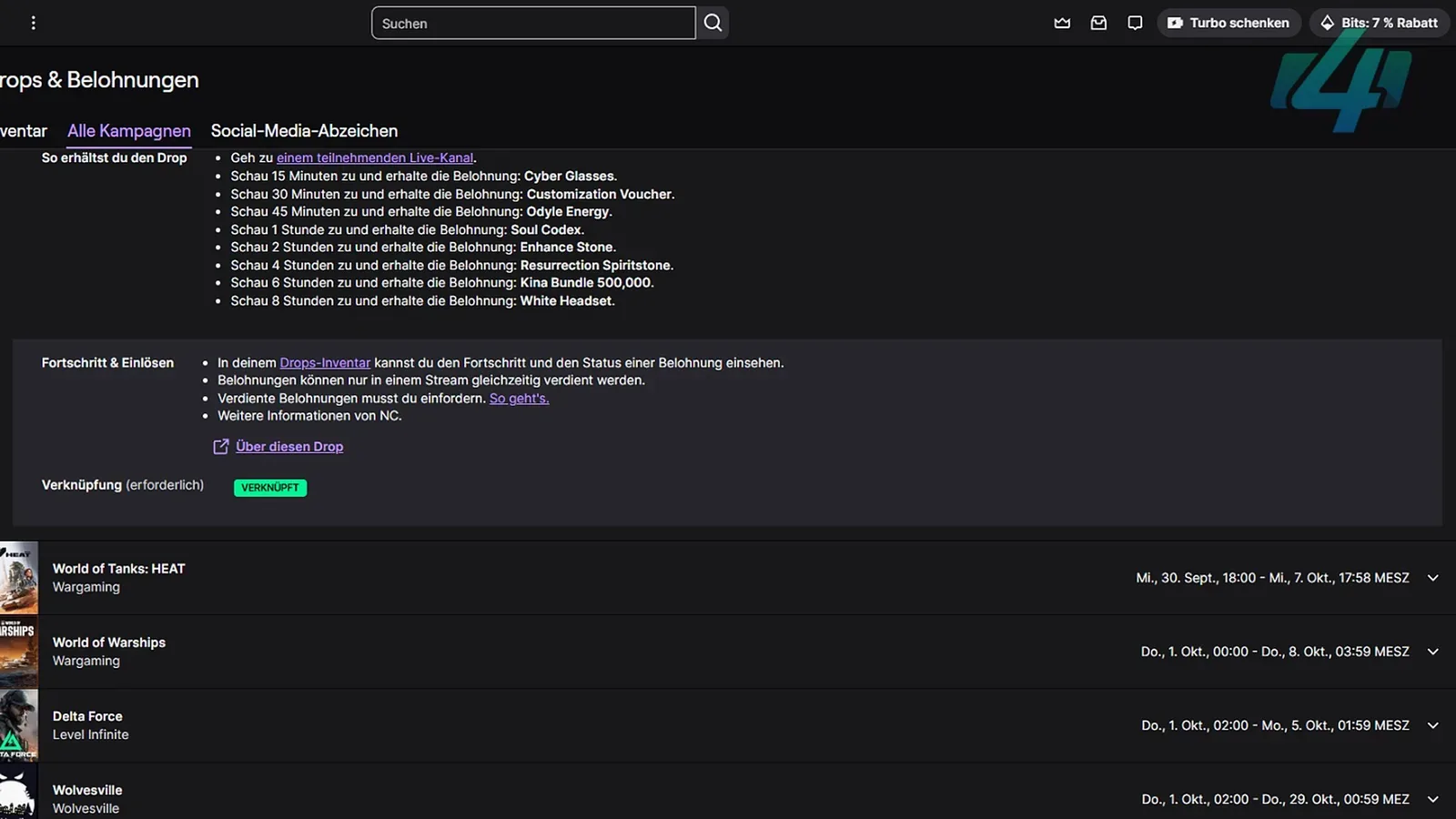
Older launch tables can still appear in search results or screenshots after their campaigns have ended. The Early Access campaign included items such as Cyber Glasses and a White Headset, while War for Atreia Series 1 used a separate schedule. Those names do not prove that the same rewards remain obtainable.
Reward names also vary across translations. For example, the same type of material may be rendered as “Upgrade Stone” or “Enhancement Stone,” and cosmetic names may differ between campaign notices and translated guides. Match the icon, quantity, milestone, and current Twitch campaign entry instead of relying on one translated name.
Avoid the Most Common Drop Mistakes
Most failed attempts come from a small number of preventable errors:
- Watching before checking the account: Progress can be wasted if Twitch is connected to an older NC login.
- Trusting a stream title alone: A title containing “Drops” is not proof that the current campaign counts that channel.
- Using the wrong regional service: Korea and Taiwan characters are not eligible for Global AION 2 Drops.
- Stopping at 100 percent: A completed progress bar still needs the Claim action in Twitch Inventory.
- Using an expired reward table: Early Access and special-event campaigns can end even while their screenshots remain online.
- Expecting multiple streams to stack: Use one participating stream and confirm progress in Inventory.
- Checking only in-game mail: Look for the reward or chest notification near the minimap as well.
- Redeeming without reading binding text: Different reward types may not share the same recipient scope.
- Disconnecting accounts immediately: Verify the linked NC, Steam, PURPLE, and Twitch identities before changing connections.
The fastest safeguard is to check progress after the first few minutes. A moving meter confirms that the correct Twitch account, campaign, and channel are working together. Waiting for an entire milestone before checking removes that early warning.
If a Claimed Drop Has Not Arrived
Keep troubleshooting narrow because the claim record and account route usually reveal where the process failed.
- Confirm that the reward says Claimed, not merely 100 percent complete.
- Confirm that the campaign had not expired before you selected Claim.
- Verify My Page > Manage Login on the official NC account site.
- Check whether Twitch is linked to an older NC account.
- Confirm that you entered a Global server through the intended Steam or PURPLE login.
- Check the chest-style reward area beside the minimap, not only mail.
- Restart the client and check again after allowing time for delivery.
- Read any binding notice before accepting the item on a character.
If all of those checks pass and the reward remains missing, contact AION 2 Global Support. Include the campaign name, reward name, Twitch claim state, approximate claim time, platform, server, and the NC account identity shown under Manage Login. Screenshots of the Claimed state and account connection are more useful than a general statement that the Drop is missing.
Do not present unverified community fixes as guaranteed solutions. In particular, switching characters or reconnecting accounts may appear to help one player without addressing the actual account destination. Preserve the claim evidence and use official support when the linked account is correct but delivery still fails.
Complete AION 2 Twitch Drops Checklist
Use this sequence for every campaign:
- Confirm that you play on an AION 2 Global server.
- Sign in to the NC account that owns your Steam or PURPLE character.
- Verify Steam, PURPLE, and Twitch identities under My Page > Manage Login.
- Open Twitch Drops Inventory and inspect the live AION 2 campaign.
- Read its rewards, milestones, eligible channels, and deadline.
- Start one participating stream marked with Drops enabled.
- Confirm that the progress meter moves before leaving the stream running.
- Switch only between channels eligible for the same campaign.
- Claim every completed milestone in Twitch Inventory before the campaign closes.
- Enter AION 2 through the verified account and check the reward icon near the minimap.
- Read binding and recipient information before redeeming the item.
- Save screenshots and contact Global Support if a claimed reward does not arrive.
Following this order separates account linking, watch progress, Twitch claiming, and in-game delivery into four verifiable stages. When a Drop fails, the last completed stage shows exactly where to investigate instead of forcing you to reconnect everything blindly.
Sources and verification
- Official War for Atreia Twitch Drops notice — Official: campaign windows, watch thresholds and claim deadline.
- Official Twitch Drops account-linking FAQ — Official: account linking and delivery instructions.
- AION 2 Global launch FAQ — Official: platforms, shared servers and account boundaries.